
 English
 简体中文
简体中文



1. Introduction
The electric meter is the silent sentinel of your home or facility’s energy infrastructure. It serves as the official “cash register” for your utility usage, measuring the exact amount of electrical energy consumed in kilowatt-hours (kWh). Whether you are managing a residential property or an industrial site, understanding how this device functions is key to managing costs and ensuring electrical safety.
Why Troubleshooting or Resetting is Necessary
While modern electric meters are designed for decades of durability, various factors can lead to the need for a reset or detailed troubleshooting. Identifying a problem early can save you from inflated utility bills and potential electrical hazards.
Common reasons for troubleshooting include:
- Billing Discrepancies: Identifying if a high bill is caused by a faulty meter or a “vampire” appliance.
- Power Restorations: Resetting digital components after a significant surge or outage.
- Error Reporting: Interpreting modern “Smart Meter” error codes before calling the utility company.
- System Upgrades: Ensuring the meter communicates correctly with new solar panels or smart home integrations.
Electric Meter Overview
| Feature | Analog (Electromechanical) Meter | Digital / Smart Meter |
|---|---|---|
| Display Type | Rotating clock-like dials | LCD or LED digital display |
| Data Collection | Manual reading by utility staff | Wireless transmission to utility |
| Recording Method | Mechanical Induction | Electronic Sensors |
| Primary Benefit | Simple, no power needed for display | Real-time monitoring and accuracy |
2. Safety First: Important Precautions
Before you approach your electric meter, you must understand that you are dealing with high-voltage equipment. Safety is the absolute priority. Improper handling of electrical components can lead to severe injury, electric shock, or fire.
Essential Safety Protocols
- De-energize Before Inspection: Always turn off the main circuit breakers inside your property before performing a close visual inspection or working near the meter box.
- Avoid Wet Conditions: Never touch a meter or electrical panel if you are standing in water or if the equipment itself is wet.
- Wear Protective Gear: If you must get close to the unit, wear rubber-soled shoes and insulated gloves to minimize the risk of accidental grounding.
- Do Not Break Seals: Most electric meters are protected by a lead or plastic security seal. Breaking this seal is often illegal and can lead to fines for suspected tampering.
When to Call a Qualified Electrician
DIY troubleshooting has its limits. If you encounter any of the following, stop immediately and contact a licensed professional or your utility provider:
| Situation | Action Required |
|---|---|
| Visible Sparking or Smoke | Call emergency services or the utility company immediately. |
| Corroded or Frayed Wires | Requires professional replacement to prevent electrical fires. |
| Humming or Buzzing Noises | Indicates a mechanical failure or dangerous electrical arcing. |
| Burnt Smell | Signifies overheating components that need urgent attention. |
| Internal Meter Issues | If the meter casing is cracked or broken, do not touch it. |
3. Understanding Your Electric Meter
To troubleshoot effectively, you first need to identify which type of meter is installed at your property.
Types of Electric Meters
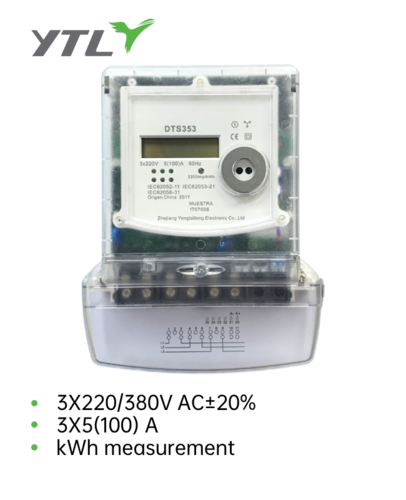
- Analog (Electromechanical) Meters: These use a rotating metal disc that spins as electricity passes through. The speed of the spin is proportional to the amount of power used. These are read via a series of clock-like dials.
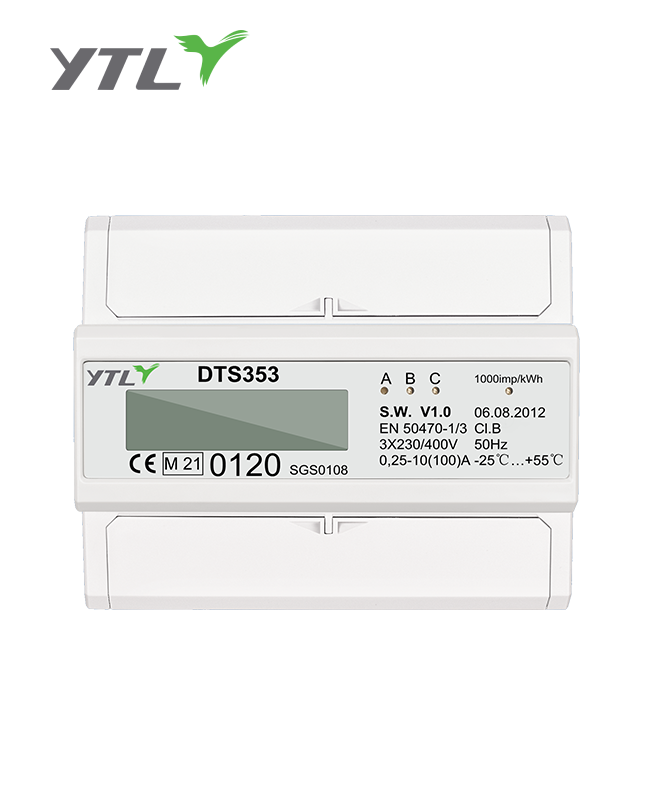
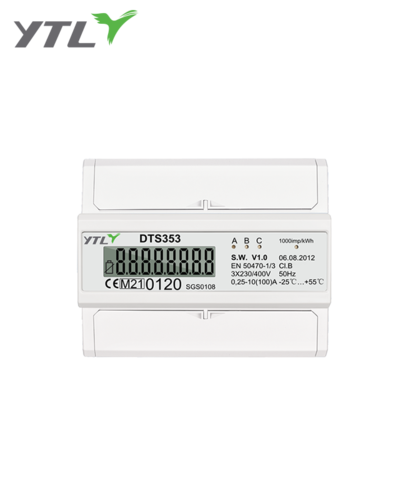
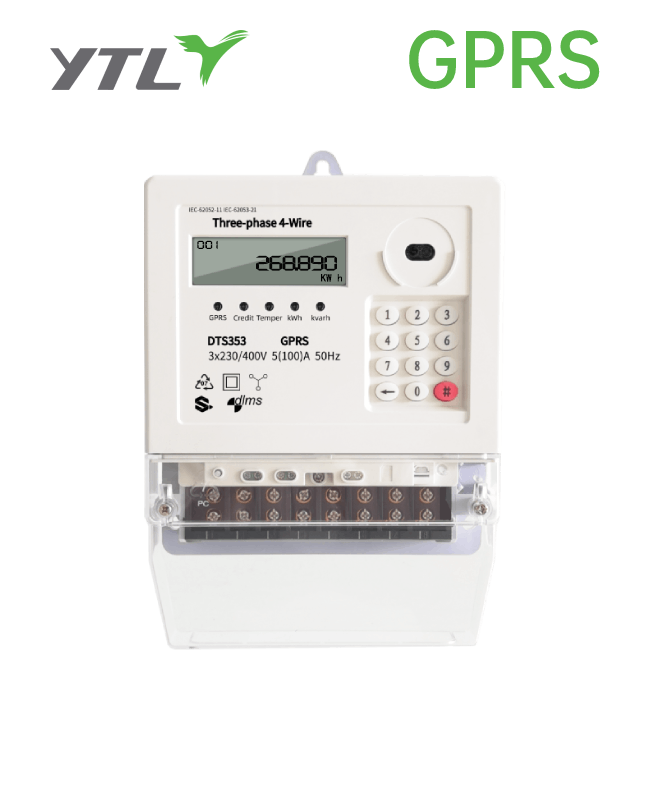
- Digital/Smart Meters: These use electronic sensors to measure usage. They often feature an LCD screen that toggles between different data points, such as total kWh, date, and time. Smart meters communicate directly with the utility company via radio frequencies or cellular networks.
Key Components to Identify
- The Display: Shows your cumulative energy usage in kWh.
- The Meter Base/Socket: The permanent housing attached to your wall that connects the meter to the service wires.
- The Main Breaker: Usually located just inside or right next to the meter, this acts as the primary “On/Off” switch for the entire building.
- The Optical Port: (On digital meters) Used by technicians to program the meter or download diagnostic data.
4. Common Electric Meter Problems
Identifying the specific symptom is the first step in resolving an issue. Most problems fall into four main categories:
| Problem Type | Description | Common Cause |
|---|---|---|
| High Bill Issues | Energy costs are significantly higher than previous months. | Faulty appliances, seasonal changes, or meter inaccuracy. |
| No Reading/Blank Display | The digital screen is off or the analog disc is not moving. | Internal circuit failure or a total power outage. |
| Meter Speed Issues | The meter appears to run very fast or continues when power is off. | Ground faults, “creeping” (on analog models), or phantom loads. |
| Error Codes | Digital meters displaying codes like “Err 01” or “Fatal”. | Internal hardware malfunction or communication loss. |
5. Troubleshooting Steps
If you suspect your meter is malfunctioning, follow these systematic steps to isolate the problem.
Visual Inspection
Before touching any equipment, perform a thorough visual check.
- Physical Damage: Look for cracks in the glass/plastic cover or signs of moisture inside the unit.
- Signs of Tampering: Check if the security seal is intact. If it is cut or missing, contact your utility provider immediately to avoid legal issues.
- Debris or Pests: Ensure that ants, wasps, or dust have not entered the meter housing, as these can cause short circuits.
Check the Breaker
Sometimes the issue isn’t the meter, but the circuit protection.
- Main Breaker: Locate your main service disconnect. If it has “tripped” (sitting in the middle position), flip it to “Off” and then back to “On.”
- Meter Breaker: Some industrial or modern residential setups have a dedicated breaker for the meter itself. Ensure this is engaged.
Test with a Multimeter (For Qualified Users Only)
If you are comfortable using a multimeter and can safely access the terminals, you can verify the voltage.
- Voltage Check: Set your multimeter to AC Voltage. A standard residential reading should be near 120V or 240V depending on your region and the specific terminals tested.
- Interpreting Results: A significantly low voltage reading usually indicates a problem with the utility line (line-side), while no reading might mean a blown fuse or tripped main breaker.
Monitor Appliance Usage
To rule out meter “over-reading,” perform a manual load test:
- Turn off every light and unplug every appliance in the building.
- Check the meter. The digital display should stop incrementing, or the analog disc should stop spinning entirely.
- If the meter continues to run, you may have a “ground fault” (electricity leaking into the ground) or a faulty meter.
6. Resetting Your Electric Meter
Resetting an electric meter is not always as simple as pressing a button. Because these devices are regulated, “resetting” usually refers to clearing the internal logic or restarting the digital interface after an error or power surge.
When is a Reset Necessary?
- Post-Outage Glitches: If the power has returned but your smart meter display remains frozen or blank.
- Error Code Clearing: Some non-fatal error codes can be cleared by a power cycle.
- After Troubleshooting: Once you have fixed a tripped breaker or a ground fault to ensure the meter begins tracking from a stable state.
How to Reset (Standard Procedures)
| Meter Type | Reset Method |
|---|---|
| Smart/Digital Meter | Most do not have a user-accessible reset button. Resetting is done by turning off the Main Disconnect Breaker for 60 seconds and then turning it back on. |
| Industrial Meters | Some feature a small “Reset” or “Display” toggle button on the front face to cycle through menus or reset the “Peak Demand” reading. |
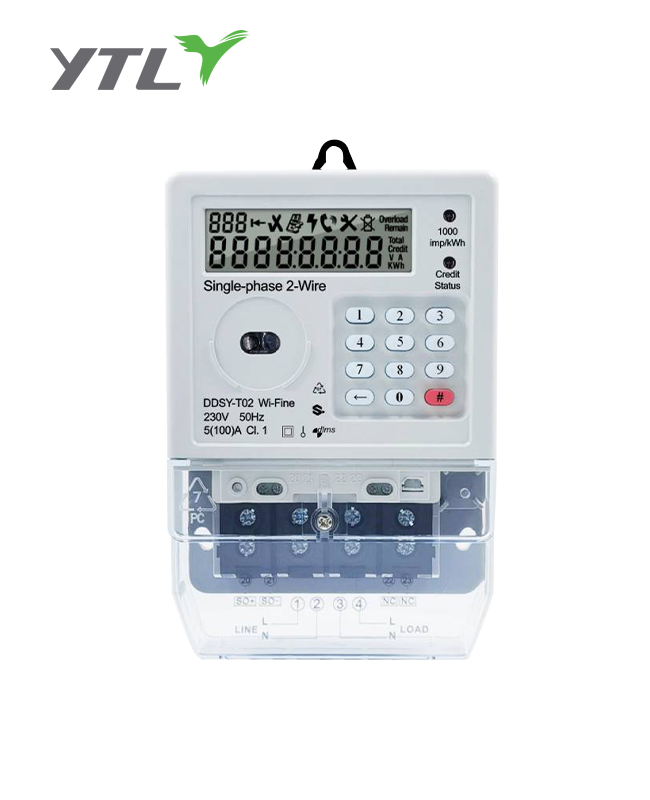
| Prepaid Meters | These often have a keypad. Resetting usually involves entering a specific code (provided by the manufacturer or utility) to clear a lockout. |
What to do if there is no reset button: If your meter is blank or showing a “Fatal Error,” and a breaker power cycle does not work, the internal battery or circuitry has likely failed. This requires a professional replacement.
7. Advanced Troubleshooting (When to Call a Pro)
There are certain scenarios where DIY efforts must stop for the sake of safety and legal compliance.
Call an Electrician or Utility Provider if:
- Suspected Meter Tampering: if you move into a new property and notice the seals are broken or there are “jumper wires” bypassing the meter.
- Continual Tripping: If the main breaker trips immediately every time you try to reset it, there is a major short circuit in the system.
- Visible Arcing or Sparking: Any blue flashes or “popping” sounds coming from the meter base indicate a life-threatening fire hazard.
- Partial Power: If some parts of your building have power but others don’t, and your internal breakers are fine, one “leg” of the utility service may be dead.
8. Dealing with Your Utility Company
When troubleshooting at home fails to resolve the issue, you must coordinate with your utility provider. Since the meter is technically the property of the utility company, they are responsible for its maintenance and accuracy.
How to Report a Suspected Faulty Meter
- Gather Your Data: Before calling, have your account number, the meter serial number (found on the faceplate), and your current reading ready.
- Describe the Symptoms: Clearly state if the meter is blank, making noise, or if you have observed a sudden, unexplained spike in usage.
- Request a Meter Test: Most utility companies offer a “Meter Accuracy Test.” If the meter is found to be faulty, they will typically credit your account for the overcharged amount.
Understanding Utility Testing Procedures
- Bench Testing: The utility removes your meter and tests it in a controlled lab environment.
- Field Testing: A technician uses a portable calibration device to check the meter’s accuracy while it is still installed.
9. Preventing Future Problems
Proactive maintenance is the best way to ensure your electrical system remains efficient and your bills stay predictable.
Best Practices for Energy Health
- Regular Visual Checks: Once a month, take a quick look at your meter. Ensure the glass is clear, the seals are intact, and no moisture is building up.
- Monitor Consumption Patterns: Use the utility company’s app or a home energy monitor to track daily usage. Sudden spikes are often early warning signs of appliance failure.
- Upgrade Aging Equipment: If you are still using an old analog meter, contact your provider about upgrading to a modern smart meter for better accuracy and real-time data.
| Prevention Task | Frequency | Benefit |
|---|---|---|
| Visual Inspection | Monthly | Early detection of physical damage or pests. |
| Review Energy Bills | Monthly | Catches billing errors or “vampire” loads. |
| Tighten Panel Connections | Every 2-3 Years | (By Electrician) Prevents heat buildup and arcing. |
Conclusion
Troubleshooting your electric meter doesn’t have to be a daunting task. By following a systematic approach—performing visual inspections, checking breakers, and monitoring usage—you can often identify whether a problem is within your home or with the utility equipment.
Remember: Safety is paramount. While resetting a breaker or reading a digital display is safe for most users, any task involving open wires or internal meter components should be left to the professionals. Keeping your meter in good working order ensures that you only pay for the energy you actually use, protecting both your wallet and your property.
Frequently Asked Questions (FAQ)
1. Is it legal for me to reset my own electric meter?
In most cases, you can “reset” the display or logic of a digital meter by cycling your main circuit breaker. However, you should never break the security seals or open the meter casing yourself. Only authorized utility personnel or licensed electricians are permitted to perform internal resets or hardware maintenance.
2. Why is my digital electric meter display blank?
A blank display usually indicates one of three things: a total power outage from the utility side, a tripped main service breaker, or an internal component failure within the meter (such as a dead battery or blown capacitor). Try resetting your main breaker first; if the screen remains blank, contact your provider.
3. Can a faulty electric meter actually run faster than it should?
While rare, it is possible. Mechanical analog meters can “creep” due to friction or magnetism issues, and digital meters can malfunction due to extreme power surges. However, a “fast” meter is often actually a symptom of a ground fault in the building’s wiring or a failing appliance consuming more power than usual.
4. What does an error code on my smart meter mean?
Error codes are diagnostic tools used by manufacturers. Common codes might indicate low battery, communication failure with the utility network, or a detected tamper event. You should record the specific code and provide it to your utility company’s customer service for a specific diagnosis.
5. How do I know if my meter has been tampered with?
Look for broken or missing lead/plastic seals, wires that “bridge” or bypass the meter entirely, or visible scratches and pry marks around the meter cover. If you suspect tampering—especially if you have just moved into a new property—report it immediately to avoid being held liable for “unmetered energy” fees.
References
- International Electrotechnical Commission (IEC) – Standard 62053 series: Electricity metering equipment – Particular requirements.
- National Electrical Manufacturers Association (NEMA) – Guidelines for Inspection and Preventive Maintenance of Electrical Equipment.
- Institute of Electrical and Electronics Engineers (IEEE) – Standard C12.1: Code for Electricity Metering.
- Occupational Safety and Health Administration (OSHA) – Electrical Safety Standards and Lockout/Tagout Procedures.
- Manufacturer Technical Manuals – General operational and troubleshooting guidelines for Smart Grid Residential Meters.