
 English
 简体中文
简体中文



Smart meters are an essential part of modern energy management, but dealing with a power outage can still be confusing, especially if you're unsure how your meter works. This guide will walk you through the steps to safely restore power to your home after an outage, including understanding your smart meter, basic troubleshooting, and knowing when to call for professional help.
1. Introduction to Smart Meters and Power Outages
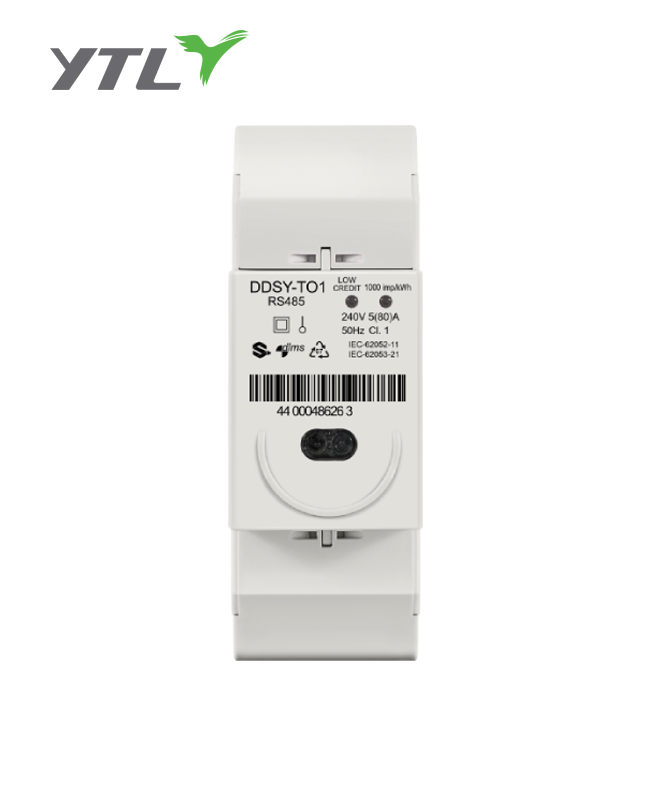
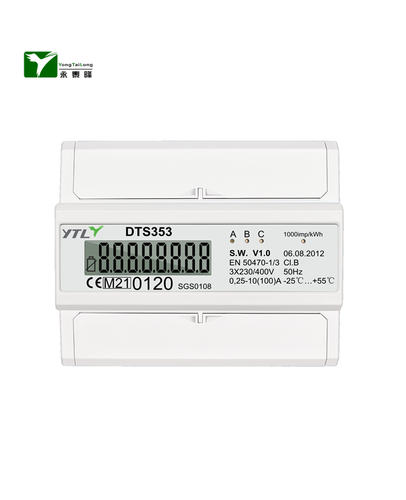
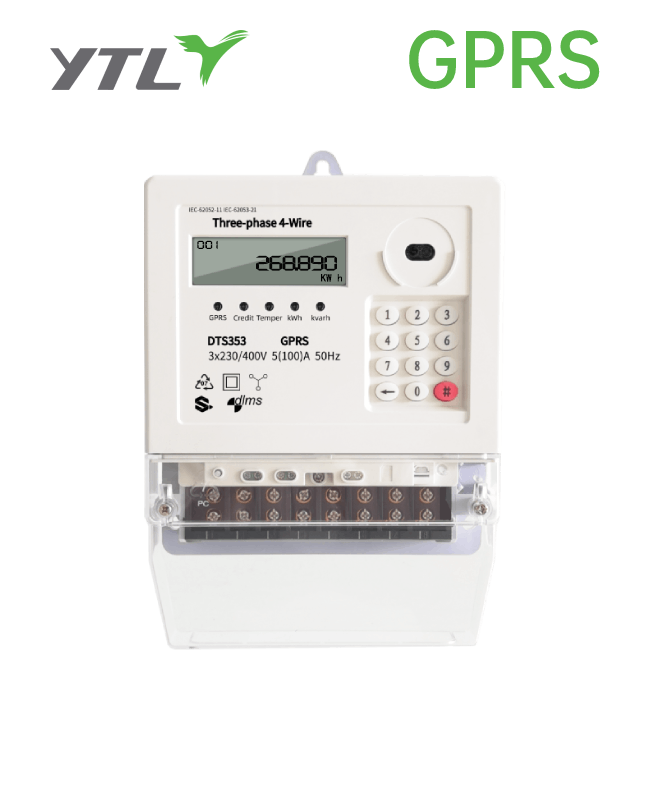
A smart meter is an advanced electronic device that records your electricity consumption in real time and communicates that information directly to your utility company. Unlike traditional analog meters, they eliminate the need for manual meter readings and provide you and your utility with detailed data about your energy use.
Power outages can occur for several reasons, and with a smart meter, some are caused by what's known as a remote disconnect. This feature allows your utility company to remotely turn your power on or off, often for reasons like a new connection, a disconnection for a move, or a late payment. A remote disconnect is different from a typical power outage caused by weather, a grid issue, or an overloaded circuit.
| Power Outage Type | Cause | How to Identify |
|---|---|---|
| Grid Outage | Storms, fallen trees, or grid-wide system failures. | Your neighbors are also without power. |
| Local Fault | A problem with the power lines leading to your home. | Your neighbors have power, but you don't. |
| Remote Disconnect | Your utility company remotely shut off your power. | The smart meter display shows a "disconnected" status or an error code. |
It's crucial to always prioritize safety when dealing with electricity. Never attempt to handle a power issue if you see damaged wires, smell burning, or hear unusual noises. These are signs of a serious problem that requires immediate professional attention.
2. Understanding Your Smart Meter
Understanding your smart meter is the first crucial step in troubleshooting a power outage. While different models exist, they share common characteristics and components. Knowing what to look for can help you quickly assess the situation and determine the next steps.
How to Identify Your Smart Meter
- Appearance: Smart meters are typically black or gray and feature a digital screen. They look distinctly different from older, analog meters that have a glass-covered dial with a spinning disc.
- Brand and Model: The manufacturer's name and model number are usually printed on the front or side of the meter. Noted details can be helpful if you need to contact your utility company.
Key Components and Their Functions
| Component Name | Function |
|---|---|
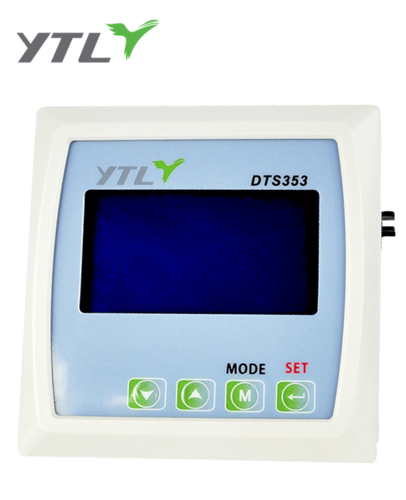
| Digital Display Screen | This is your primary interface. It shows real-time electricity usage, total consumption in kilowatt-hours (kWh), any error codes, or the connection status. |
| Status Indicator Lights | These lights, often labeled with names like "Connected," "Disconnected," or "Pulse," provide a quick visual status. A flashing light usually indicates that electricity is being used, with the speed of the flash correlating to your current consumption. |
| Integrated Disconnect Switch | Some smart meters have a built-in remote disconnect switch, which allows the utility company to turn your power on or off remotely. If this switch is activated, you will be unable to restore power yourself. |
| Communication Module | This internal component allows the meter to send and receive data wirelessly from your utility company's network. It's how your provider gets real-time readings and can perform remote actions. |
How to Read Your Smart Meter Display
Your smart meter's display cycles through various screens automatically. By watching it, you can gather important information about your power status.
- kWh (Kilowatt-hour) Reading: This is your total energy consumption, just like an odometer on a car. It's the most common display and represents the total electricity you've used.
- Status Codes or Messages: If there's an issue, the display might show a specific code or text message. Common messages include "DISCONNECTED," which means your power has been remotely shut off, or "ERROR," which signals a problem with the meter itself.
- Instantaneous Power (kW): Some advanced meters can show your current power draw in real time, measured in kilowatts (kW). This is useful for seeing how much power an appliance uses when you turn it on.
If you are unsure about the information on your meter's display, the safest and most effective solution is to consult your utility company's website or contact their customer service for a full explanation of the codes and readings specific to your model.
3. Safety Precautions Before Restoring Power
Before you attempt to restore electricity, it is crucial to prioritize safety. Dealing with electrical systems, even a smart meter, can be hazardous if not done correctly. Taking a few simple precautions can protect you and your home from potential damage or injury.
-
Turn Off Appliances to Prevent Overload:
Before the power comes back on, walk through your home and turn off or unplug major appliances and sensitive electronics. This includes your oven, air conditioner, and computers. When power is restored, a sudden surge can damage these devices, especially if they all try to turn on at once. By shutting them down, you prevent a potential circuit overload that could trip the breaker again or cause damage. -
Check for Damaged Wires or Equipment:
After a storm or a similar event, visually inspect the area around your home's electrical panel and smart meter. Look for any signs of physical damage, such as frayed or exposed wires, melted plastic, or burn marks. You should also check for any water damage near your electrical panel. Do not touch any damaged equipment. If you notice anything that looks out of the ordinary, it is essential to stop and call a professional electrician or your utility company. -
Using Proper Safety Gear:
While you may not need a full professional kit, having basic personal protective equipment (PPE) is a smart choice. When inspecting your breaker box or meter, consider wearing:- Insulated Gloves: To provide a layer of protection against accidental electrical contact.
- Safety Glasses: To shield your eyes from any sparks or debris, however unlikely.
By following these safety guidelines, you can ensure that you are taking the right steps to safely restore power to your home without putting yourself at risk.
4. Step-by-Step Guide to Turning Your Electric Back On
Once you have completed your safety checks, you can begin the process of restoring power. Follow these steps carefully to troubleshoot the issue and safely turn your electricity back on.
Step 1: Check the Smart Meter Display
The first place to look for clues is your smart meter's digital display. This screen can provide a wealth of information about the power outage.
- Look for Error Codes or Messages: The display may show a specific error code or a message like "Disconnected" or "Outage." A "Disconnected" message means the power has been remotely shut off by the utility company, and you will not be able to restore it yourself. In this case, you will need to contact them.
- Note Any Unusual Readings: Pay attention to any readings that seem odd. For example, if the display shows "0 kWh" and no lights are on, it indicates a complete power loss to the meter itself.
Step 2: Resetting the Breaker
A tripped circuit breaker is one of the most common causes of a power outage in a single area of your home.
- Locate Your Electrical Panel: This is typically a gray metal box mounted on a wall in a basement, garage, or utility closet.
- Identify the Tripped Breaker: Look for any breaker switch that is in the "off" position or, more commonly, is halfway between "on" and "off." It will not be aligned with the other switches.
- How to Properly Reset the Breaker: To reset a tripped breaker, first push the switch all the way to the "off" position. You should hear and feel a click. Then, firmly push the switch back to the "on" position.
Step 3: Check the Main Disconnect Switch
If resetting a specific circuit breaker does not work, the main breaker for your entire home might be tripped.
- Location of the Main Disconnect: The main disconnect switch is usually a larger breaker located at the top of your electrical panel. It controls all the electricity coming into your home.
- Ensuring It Is in the ‘On' Position: If this main breaker has tripped, it will be in the "off" position. To reset it, follow the same procedure as a regular breaker: turn it fully to the "off" position before pushing it back to the "on" position.
Step 4: Contacting Your Utility Company
If the above steps do not restore power, the issue is likely not with your home's internal electrical system but with the smart meter or the power grid.
- When to Call Your Utility Company: You should contact your utility company if:
- Your smart meter display shows "Disconnected" or an error code.
- You have reset the main breaker, but the power does not come back on.
- Your neighbors are also experiencing an outage.
- Information to Provide When Reporting the Outage: When you call, be prepared to provide your account number, a description of the problem, any messages or codes you saw on your smart meter, and the time the power went out. This information helps them quickly diagnose the issue and send a crew if necessary.
5. Troubleshooting Common Issues
Sometimes, even after following the basic steps, the power may not restore properly. Here are some common problems and how to troubleshoot them.
Power Restored Briefly, Then Out Again
This is a common and frustrating issue. It usually means the power grid is stable, but there is still an issue within your home's electrical system that is causing the breaker to trip repeatedly.
-
Possible Causes:
- Overload: The most common cause is an overloaded circuit. This happens when too many high-wattage appliances (like a microwave, hair dryer, or space heater) are running on the same circuit simultaneously. The breaker trips to prevent overheating and potential fire hazards.
- Short Circuit: A short circuit occurs when a "hot" wire touches a "neutral" wire. This can be caused by damaged appliance cords, faulty wiring, or an issue with an electrical outlet. A short circuit causes a sudden, massive surge of current, which immediately trips the breaker.
-
Steps to Identify and Resolve the Issue:
- Unplug Everything: Go to the area of your home that lost power and unplug every appliance and device.
- Reset the Breaker: Go back to your electrical panel and reset the breaker again.
- Plug in One by One: Plug in your devices one at a time, waiting a few minutes between each one.
- Identify the Culprit: If the power goes out again after you plug in a specific device, you have found the cause. Unplug that device and keep it unplugged. The issue is likely with that specific item.
Smart Meter Display Not Working
If your smart meter display is blank or unresponsive, it indicates a more serious problem.
- Checking the Meter's Power Source: The smart meter itself is powered by the grid. If its display is blank, it means there is no power reaching the meter at all. This is a clear sign that the issue is external to your home, such as a localized utility outage or a fault with the service line leading to your meter.
- Contacting the Utility Company for Assistance: Unlike an internal breaker issue, a non-responsive smart meter is a problem you cannot fix yourself. Do not attempt to open or tamper with the meter. This is a utility company asset, and doing so is not only dangerous but also illegal. Immediately contact your utility company to report the issue. They have the tools and expertise to diagnose and repair the problem safely.
6. Advanced Troubleshooting (When to Call an Electrician)
While many power issues can be solved with a simple breaker reset, some problems require the knowledge and expertise of a professional. Knowing when to stop troubleshooting yourself and call a qualified electrician is a critical safety measure.
When Electrical Repairs Are Needed
If you have tried all the basic steps and the power is still out, or if you encounter any of the following signs, it's time to call a professional. These issues are almost always related to a fault in your home's wiring or electrical system that only a licensed electrician can safely address.
- Repeatedly Tripped Breakers: If a breaker trips again immediately after being reset, it's a strong indication of a persistent overload or a short circuit that you can't fix by simply unplugging appliances.
- A "Dead" Outlet or Fixture: If a single outlet or light fixture remains non-functional even after you've checked the breaker and confirmed the rest of the circuit is working, there could be a localized wiring fault.
- The Smell of Burning Plastic: This is a serious red flag. A burning smell indicates that wires are overheating or insulation is melting, which is an immediate fire hazard. Do not ignore this sign.
- Flickering Lights: This could indicate loose or faulty wiring, a problem with the main circuit breaker, or an issue with the power supply coming into your home.
- Sparks or Buzzing Sounds: Any sparks, buzzing, or cracking sounds coming from your outlets, switches, or the electrical panel are signs of a dangerous electrical fault.
Signs of Serious Electrical Problems
| Sign of Trouble | What It Means | Action Required |
|---|---|---|
| Circuit Breaker Is Hot | The breaker is overloaded and is generating excessive heat. | Turn off all power at the main breaker and call an electrician immediately. |
| Corroded or Damaged Wires | Wires are deteriorating, which can lead to shorts or ground faults. | Do not touch. Call an electrician to inspect and replace the wiring. |
| Smoke from the Electrical Panel | This is an extreme fire hazard. | Evacuate the area, call the fire department, and then call a professional electrician. |
Importance of Professional Inspection
Attempting to fix complex electrical problems without proper training can lead to serious injury, electrocution, or a house fire. Licensed electricians have the tools, knowledge, and safety equipment to diagnose hidden problems, replace faulty components, and ensure that your electrical system is up to code and safe for your family.
7. Tips for Preventing Future Power Outages
While you can't prevent every power outage, you can take proactive steps to reduce the likelihood of them happening due to issues within your home. Proper management and regular maintenance of your electrical system can save you time, money, and hassle in the long run.
-
Managing Your Energy Consumption:
- Balance the Load: Be mindful of how many high-power appliances you run on a single circuit. Avoid using a hair dryer, a space heater, and a vacuum cleaner on the same outlet or circuit at the same time.
- Stagger Appliance Use: If you must use multiple large appliances (like a washing machine and a dryer), try to run them at different times to avoid overwhelming your electrical system, especially during peak usage hours.
- Upgrade Old Appliances: Older appliances are often less energy-efficient and can draw a significant amount of power, increasing the risk of an overload. Consider upgrading to modern, energy-efficient models.
-
Regular Electrical Maintenance:
- Inspect Cords and Outlets: Periodically check your appliance cords for frays or damage and inspect your outlets for burn marks or loose connections. Replace any damaged cords or outlets immediately.
- Don't Overload Outlets: Avoid using multiple high-power devices with a single extension cord or power strip, as this can create a fire hazard and lead to an overload.
- Professional Inspection: Consider having a licensed electrician perform an electrical inspection of your home every few years, especially if you live in an older house. They can identify potential issues with wiring, breakers, or the main panel before they cause an outage.
-
Protecting Your Smart Meter from Damage:
- Keep the Area Clear: Ensure the area around your smart meter is free from shrubs, tree branches, or other obstructions. This protects the meter from physical damage and gives utility workers clear access.
- Avoid Physical Impact: Be careful when mowing the lawn or doing yard work near the meter to prevent accidental impact.
By being proactive about your energy usage and electrical system maintenance, you can ensure a safer and more reliable power supply for your home.
Conclusion
Navigating a power outage with a smart meter can seem complex, but by following a clear and safe process, you can often restore electricity to your home quickly. The key is to start with a calm, methodical approach.
First, always prioritize safety by turning off appliances and checking for any visible damage. Next, use a systematic approach to troubleshoot, beginning with your smart meter's display for clues, followed by checking and resetting your circuit breakers. Most common issues, like a simple tripped breaker, can be resolved with these steps.
However, it's essential to recognize when the problem is beyond your control. If the smart meter's display is blank, your main breaker doesn't reset, or you see any signs of serious electrical damage—such as sparking or a burning smell—it's time to stop and call your utility company or a professional electrician. Never attempt to repair or tamper with a smart meter.
By understanding your smart meter, practicing basic safety, and knowing when to seek professional help, you can ensure that you and your home remain safe and powered up.

.png?imageView2/2/w/500/h/500/format/png/q/100 "YTL Two Phase Three Wire Big counter Electricity Meter")
.png?imageView2/2/w/500/h/500/format/png/q/100 "YTL China Single Phase IC card Prepayment Electricity Meter")